Skip to content
SONG TEMPO FINDER · TAP TEMPO

Free Song BPM Finder

Get the BPM from an MP3 or any song file, with half-time and double-time readings, or tap along. Nothing is uploaded.

or drop it here

MP3, WAV, M4A, OGG, FLAC or any format your browser can decode; up to the first 10 minutes · Maximum 100 MB

Tap tempo

Tap the button (or press Space) along with the beat; four or more taps give a BPM.

0 taps
Checking a whole playlist? Use the BPM and key finder

Your file is processed in your browser and never uploaded

01

Choose or drop a song

Pick an MP3 or other audio file, or drag it in above.

02

Detect tempo on your device

Beats are detected locally; the file is never uploaded.

03

Read and copy the BPM

See BPM, confidence, half and double time, then copy.

A wooden pyramid metronome with a still pendulum on a light oak shelf in soft daylight
Every song has a pulse
01 / TEMPO DETECTION

Find the BPM of a song

BPM is beats per minute, the song tempo you tap your foot to. The beat identifier finds where beats land and how often they repeat, then gives a BPM and confidence score.

  • Tempo in BPM with a confidence score
  • Works on MP3, WAV, M4A, OGG and more
  • Reads up to the first 10 minutes
02 / HALF AND DOUBLE

Half-time and double-time

Tempo can be counted on every beat or every other one, so a song that feels like 87 BPM can also read as 174. You see both numbers and keep the one that fits the feel.

  • Half-time and double-time shown together
  • Pick the reading that matches the groove
  • Handy for hip-hop, trap and drum and bass
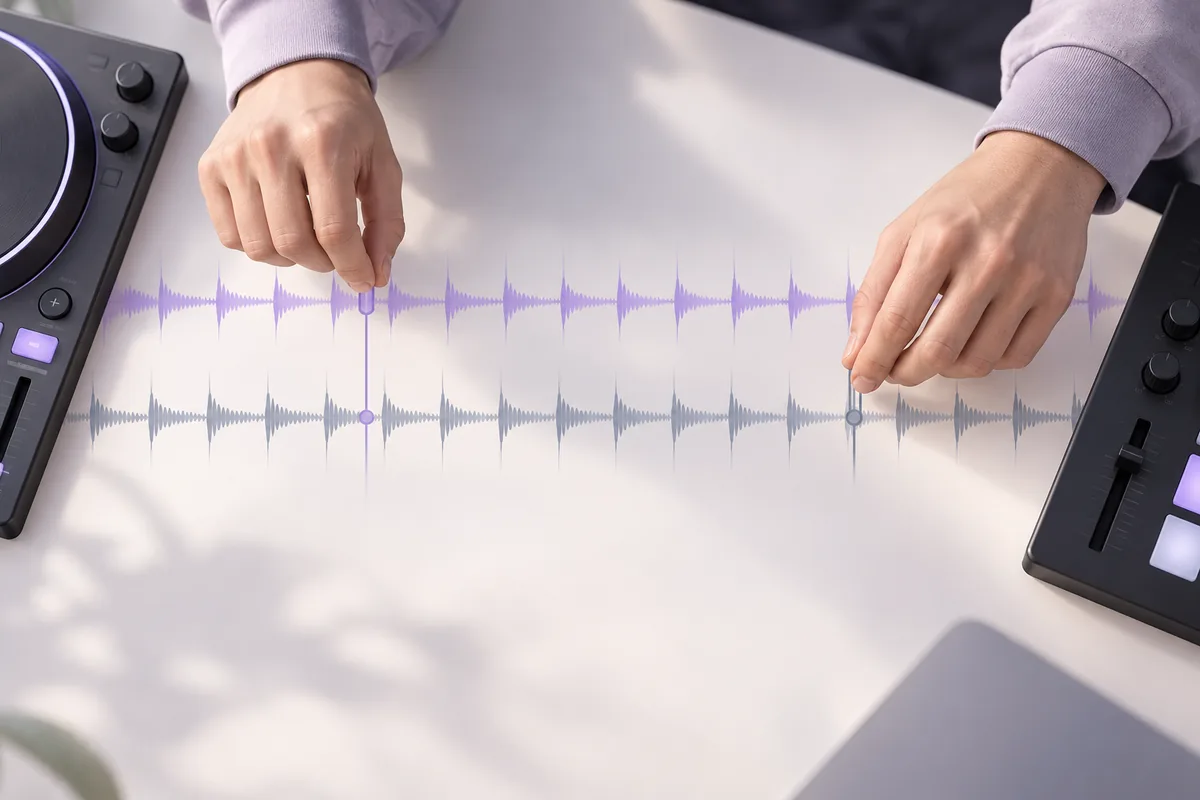
Hands aligning two rows of abstract beat markers
Count it the way it feels
The same dancer shown in three successive movements in a rehearsal room
No file? Tap along
03 / TAP TEMPO

Tap tempo for any music

No file at hand? Tap the button on each beat of whatever is playing, from a live band to the radio, and the finder works out the BPM from the gaps between taps.

  • Tap the button or press Space on each beat
  • No file and no upload needed
  • Tap a few bars to even out slips
USE CASES

Why the BPM of a song matters

Tempo decides what a song fits with, from the next track in a set to your running stride.

Beatmatching DJ sets

Know each track's BPM before you play, so you can line up tempos and plan which songs sit close enough to blend with a small fader move.

Running playlists

Match songs to your steps per minute or to half of it. If you run at about 170 steps, tracks near 170 or 85 BPM fall in with your feet.

Editing video to the beat

Place your cuts on the beat. At 120 BPM a beat lands every half second, which is every 15 frames at 30 frames per second.

Metronome practice

Set your metronome to the song's BPM, or start slower and build up. The pitch changer can slow the track itself without changing its key.

Remixes and samples

Set your project tempo to match a sample or acapella before you drop it in, so loops line up instead of drifting out of time.

Dance and fitness classes

Instructors can sort tracks by tempo to build a class that warms up, peaks and cools down, with songs that suit each block of moves.

COMPARE

Detect tempo online, by hand or in a DAW?

Each way gets you a number. They differ in what you need on hand and how much counting you do yourself.

CompareThis BPM finderCounting by handDAW or DJ software
What you needA browser and a file, no sign-upA clock and a steady countAn installed app on a computer
Where audio goesAnalyzed on your device, never uploadedNowhere, you just listenStays in your local project
Half or double timeBoth readings shown side by sideYou decide how the pulse feelsDepends on the program
Tempo changesAssumes a mostly steady tempoYou can follow a drifting tempoTempo maps can follow changes
Skill neededNone, just read the resultPractice and a steady countSetup and some learning
Best forQuick checks on any song fileLive music, or when you have no fileProducing and editing projects
ACCURACY TIPS

6 tips to find song tempo accurately

A clear, steady beat gives the cleanest reading. When a number looks off, run through these six checks.

  1. 01

    Start with a clear beat

    Songs with drums or a steady pulse read best. A long ambient intro or an a cappella opening gives the beat analyzer little to measure.

  2. 02

    Check half and double time

    If the number feels twice too fast or too slow, the other reading is probably the one you want. Go by how you would clap along.

  3. 03

    Analyze the exact version

    Radio edits, extended mixes and sped-up versions can differ in tempo. Check the file you will actually play or edit to.

  4. 04

    Expect drift in live music

    Bands push and pull the tempo. A live take gives an overall estimate, and free-tempo or rubato pieces may not read reliably at all.

  5. 05

    Round produced tracks

    Music made in a DAW is usually set to a whole number, so a reading a hair off, like 127.9, most likely means 128.

  6. 06

    Tap to double-check

    Unsure about a result? Use tap tempo along with the track for a few bars and see whether you land near the same number.

FAQ

BPM finder FAQ

Answers about tempo, tap tempo and how this song BPM finder works.

How do I find the BPM of a song?+

Drop the song into the BPM finder above and it reports the tempo with a confidence score, plus half-time and double-time readings. By hand, count the beats for 15 seconds and multiply by four, or use the tap tempo button while the song plays.

How do I find the BPM of an MP3 file?+

Drop the MP3 into the finder above; going from MP3 to BPM takes a few seconds. It also reads WAV, M4A, AAC, OGG and usually FLAC, from files saved on your device, not YouTube or streaming links. Long files are checked up to the first 10 minutes.

Why does the BPM show double or half the tempo?+

Tempo can be counted on every beat or every other beat, and both are fair readings of the same song. A hip-hop beat at 90 BPM can also read as 180. The finder shows both numbers so you can pick the one that matches how you would clap along.

How does tap tempo work?+

Press the tap button or the Space bar on every beat while music plays. The finder averages the time between your taps and turns it into beats per minute, showing a number after four taps: taps half a second apart mean 120 BPM. Tap for a few bars for a steadier reading.

How accurate is this beat detector?+

It is most accurate on music with a steady beat, such as pop, dance and hip-hop, and the confidence score shows how sure it is. Free-tempo, rubato or strongly changing tempos are unreliable, so check those by tapping along instead.

What's the BPM of a song, and is it the same as tempo?+

Tempo is how fast music moves, and BPM, beats per minute, is the usual way to measure it, so the BPM of a song is its tempo as a number. Classical scores often use Italian terms: Andante is a walking pace, Allegro is fast. A music tempo finder measures the number.

Can I find songs by BPM here?+

No. This tool can find beats per minute for songs you already have, but it does not search a catalog. To build a playlist at a target tempo, check the songs you own one by one and keep those near your number or half of it.

Is the BPM finder free, and are my songs uploaded?+

It is free and needs no sign-up. Files are decoded and analyzed in your browser with signal processing, not AI, and are never uploaded. It works in desktop and mobile browsers, and tap tempo needs no file at all.

FIND YOUR VOICE

Find the BPM of your next song

Drop an audio file into the tool above, or just tap along. It is free, needs no account and nothing is uploaded.

Try it with a file