Skip to content
AI VOCAL SEPARATION · TWO TRACKS

AI Vocal Remover

Choose a song and the AI will split it in two: the instrumental with the vocals removed, and the vocals on their own.

AI separation is open

Preview your file first. When you press start, it is uploaded privately and an AI model separates it on our servers, which can take a few minutes. The price depends on the length of the audio and is shown on the button before you start; if separation fails, the credits are refunded automatically. Play and download each track here, or find them later in your generation history.

Up to 50 MB / 10 minutes per file · 20 credits per minute (rounded up, 2-minute minimum)

or drop it here

MP3, WAV, M4A, FLAC and other common audio formats

Tracks you get

  • Instrumental (no vocals)Ready after separation
  • VocalsReady after separation

Your file is uploaded only when you press start. Only your account can open it, and it is shared only with the AI model provider that separates it.

01

Choose a song file

Pick a track on your device and preview it on the page.

02

Run the AI vocal remover

Sign in to start: 20 credits a minute, 2-minute minimum.

03

Download both tracks

Save the instrumental and the vocals as audio files.

A singer and instruments surrounded by separate violet vocal and gold instrumental ribbons
One song in, two tracks out
01 / TWO TRACKS OUT

Remove vocals from a song

One song goes in and two files come out: an instrumental with the singing taken away, and the vocals by themselves. Keep the backing track, the acapella, or both.

  • An instrumental for karaoke and covers
  • The isolated vocals as a second file
  • Both download as separate audio files
02 / NOT A PHASE TRICK

Beyond the karaoke filter

Old karaoke filters cancel whatever sits in the center of a stereo mix, so bass and kick drum vanish with the singer. An AI model listens for the voice itself instead.

  • Bass and drums stay in the instrumental
  • Does not depend on where the voice is panned
  • Heavy reverb may leave a faint trace
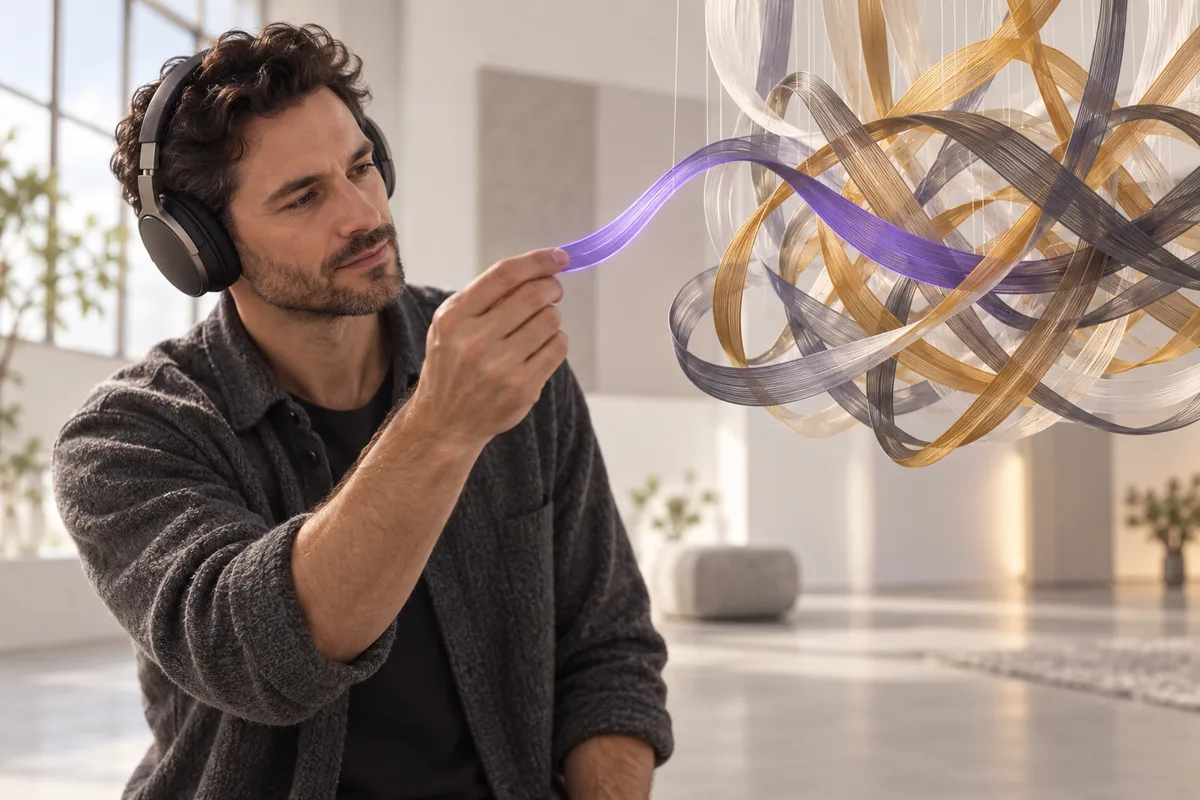
A headphone-wearing audio editor drawing a violet voice ribbon from intertwined sound ribbons
Hears the voice, not the center
A creator working with music on a tablet beside two abstract sound ribbons
No install, just a browser
03 / ONLINE, NO INSTALL

Vocal remover online

Choose a file and preview it on a phone or computer. When you start AI separation, the song is uploaded for processing and both tracks come back as downloads.

  • Nothing to download or install
  • Choose and preview a file today
  • Songs up to 50 MB and 10 minutes
USE CASES

Ways to use a song with no vocals

Think of it as an instrumental converter. Here is what singers, players, DJs and editors do with it.

Karaoke at home

Turn a favorite song into a karaoke track with no vocals, put the lyrics on screen and sing while the original band plays behind you.

Covers and backing tracks

Record a cover over the real instrumental instead of a MIDI remake. If the song sits too high for you, lower it with the pitch changer.

Practice and transcription

Mute the singer to rehearse your own part, or play the vocals alone to learn a melody, a harmony or a hard-to-hear lyric by ear.

Remixes and mashups

Drop the acapella onto a new beat, or lay it over another song's instrumental. Check both songs with the key and BPM finders first.

DJ edits

Build instrumental intros, outros and breaks for a set, so the vocal comes in exactly on the beat you choose instead of the record's.

Video background music

Put an instrumental under a voiceover or vlog so the lyrics do not compete with your narration. Use only music you are licensed to use.

COMPARE

AI vocal remover vs the old karaoke trick

Phase cancellation is quick but crude, an official instrumental is cleanest but rare, and AI sits between them.

CompareAI vocal removerKaraoke filter (phase)Official instrumental
How it worksA model trained to tell voice from musicCancels sound panned to the centerThe studio exports a mix with no vocals
Bass and drumsKept in the instrumentalOften thinned out with the vocalUntouched, exactly as mixed
Vocal tracesA faint trace is possible on reverbReverb and wide backing vocals remainNone, the vocal was never there
You also getThe isolated vocals as a second fileNo usable vocal trackOnly if an acapella is also released
AvailabilitySign in and upload your fileBuilt into many audio editorsOnly for songs the label releases
Best forKaraoke, covers, practice and remixesA quick test with no uploadThe cleanest possible backing track
TIPS

How to remove vocals from a song cleanly

The model can only separate what is in the file. A good source and a studio mix give the cleanest split.

  1. 01

    Start from the best copy

    Use a WAV, FLAC or high bitrate MP3. Low bitrate files smear voice and cymbals together, and no model can fully undo that.

  2. 02

    Prefer studio recordings

    Studio mixes separate more cleanly than live recordings, where crowd noise and the room bleed into every microphone on stage.

  3. 03

    Expect some reverb bleed

    Heavy reverb and echo spread the voice through the whole mix, so a faint ghost of the vocal can remain in the instrumental.

  4. 04

    Backing vocals are voices

    Harmonies, ad-libs and choir parts are voices too, so they usually leave the instrumental along with the lead singer.

  5. 05

    Check key and tempo

    Before you sing or remix over the instrumental, find its key and BPM, then shift the pitch to a range that suits your voice.

  6. 06

    Listen on headphones

    Vocal traces that speakers hide are easy to hear on headphones. Check the chorus and the quiet breaks before you publish anything.

FAQ

Vocal remover FAQ

Answers about removing vocals, sound quality, rights and your files.

How do I remove vocals from a song?+

An AI vocal remover splits the song into two files: the instrumental with the vocals and lyrics removed, and the vocals alone. Here, choose the song file above and preview it, then sign in and start AI separation; the file is uploaded for processing.

Can I use the AI vocal remover right now?+

Yes. Choose a song above, preview it, then sign in and start AI separation. Both tracks come back to play and download, and they stay in your history. It costs 20 credits per started minute of audio, with a 2-minute minimum, and failed runs are refunded.

Is this a free vocal remover, or do I need freeware?+

Nothing to download or install, and choosing and previewing a file is free; AI separation costs 20 credits per minute (2-minute minimum). Many free desktop editors include a karaoke or vocal reduction filter, but most rely on phase cancellation, which thins out bass and drums.

How is an AI vocal remover different from a karaoke filter?+

A karaoke filter subtracts the left channel from the right, which cancels anything mixed dead center: the vocal, but also bass, kick and snare, while reverb and wide harmonies stay. An AI model learns what a voice sounds like, so it does not care where the vocal sits in the mix.

Can I remove the instrumental from a song and keep vocals?+

Yes. Every AI separation run also gives you the isolated vocals as a second file, which is the song with the instrumental removed. If the voice you want is speech, such as an interview, a podcast or dialogue in a video, the voice isolator is the better fit.

Why can I still hear a little of the vocal?+

The usual causes are heavy reverb on the voice, backing vocals stacked on the lead, a low bitrate source or a live recording. Starting from a better quality copy of the same song is often the single biggest improvement you can make.

Is it legal to remove vocals from a song?+

Separating a track does not change its copyright: the instrumental and the vocals still belong to whoever owns the song. Before you publish, monetize or upload the result to a platform, make sure you own the music or have a license for that use.

What happens to the songs I upload?+

When you start AI separation, your file is uploaded to our server and an AI model provider and used only to process your request. For how files are stored and handled, see the privacy policy. Previewing a file only plays it in your browser.


FIND YOUR VOICE

Get the instrumental, keep the vocals

Choose a song, sign in and split it into an instrumental and vocals.

Try it with a file