FAQEPUB to audiobook FAQ
Answers about EPUB to audiobook conversion: voices, cost, DRM, limits and files.
How does EPUB to audiobook conversion work?+
Drop the EPUB above. Your browser reads its chapters, and the book view shows the word count, listening time and credits. Pick a narrator, press Generate on a chapter or Generate all chapters, then download each MP3.
Can I convert an ebook to audiobook free?+
Partly. Importing the book and Listen free, which uses your device's built-in voice, cost nothing and need no sign-in. AI narration needs an account and credits: a standard voice is 1 credit per 35 characters.
Can I convert Kindle or Apple Books purchases?+
Usually not. Store books are DRM-protected, and this page refuses them with a clear message; it does not remove DRM. Kindle AZW and KFX files are not supported either. Use DRM-free EPUBs, such as public domain classics.
How much does an EPUB audio book cost?+
It depends on length and voice. A standard voice costs 1 credit per 35 characters, spaces free: a 3,000-word chapter is about 450 credits and a 60,000-word novel about 9,000. Flagship voices cost more.
Can I convert EPUB to MP3?+
Yes, chapter by chapter: each finished chapter of the EPUB audio book downloads as its own MP3. There is no single merged file and no M4B with chapter markers; join the MP3s in an audio app if you need one file.
Can characters have different voices?+
Yes, in the full editor. Open Edit text and voices, write dialogue as Name: line and give each name a voice; those lines are read in that voice and the rest by the narrator. Characters are not detected automatically.
Is there a length limit?+
One book holds up to 100 chapters of up to 20,000 characters each; longer chapters are split into parts automatically. The EPUB itself can be up to 30 MB. Import the rest of a very long book as a second book.
Is it an ebook to audiobook converter for other files?+
Yes. The same upload box takes PDF, DOCX, TXT and Markdown. PDFs need selectable text; see PDF to audiobook. Kindle AZW and KFX files are not supported.
Do I have to keep the page open?+
Yes, while Generate all chapters runs: it makes two chapters at a time in this tab. Finished chapters are also kept in your generation history, so you can download them again later.
No EPUB at hand. Can I try it first?+
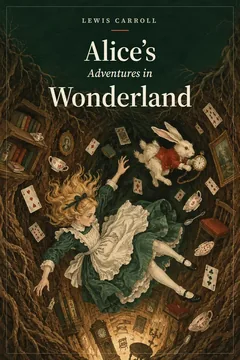
Yes. Click a sample: Alice's Adventures in Wonderland or The Velveteen Rabbit, both public domain excerpts. Or paste text chapter by chapter in the AI audiobook generator.
Can I sell the audiobook on Audible?+
We can't promise that. This page makes chapter MP3s; it does not package files for ACX or check store rules, and stores set their own terms for AI narration. Only publish books you hold the rights to.
Is my book uploaded?+
No. The EPUB is opened in your browser. Only the text of chapters you generate is sent to the AI voice service, and the finished audio is saved in your generation history. Failed jobs refund their credits.